Mercado Libre
V2. Revolutionizing Advertisting
Bidding for competition:
Design components to help sellers understand why they won or lost impressions and where their competitors status.
My Role
Product designer
User Research
UX
UI
context
What is Product Ads?
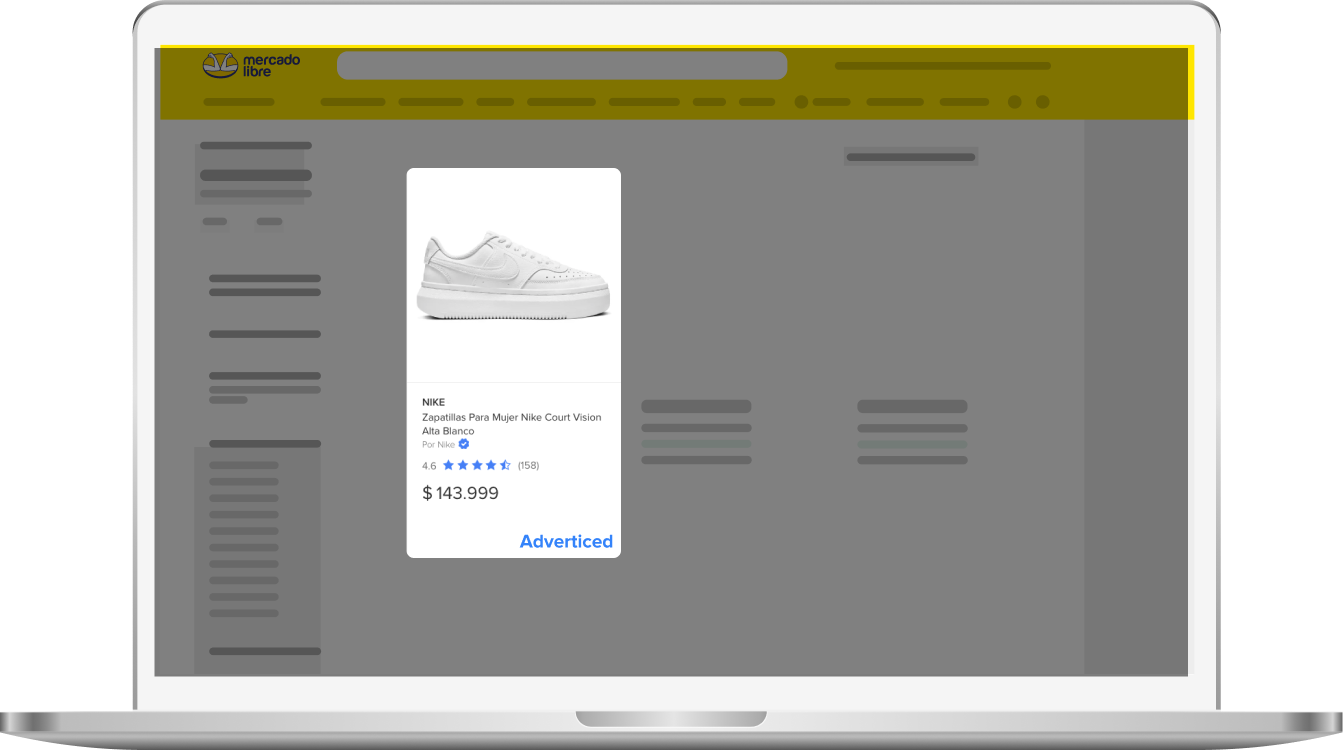
Product Ads on Mercado Libre enable sellers to boost visibility by promoting their listings in search results and increasing sales on their product pages.
How did "Product Ads" use to work?
Sellers had no say in which ads were shown or their positions. These decisions were made entirely by the algorithm.
How does it work now?
Users can now influence ad positions by setting their bid amount in campaign settings.
Problem addressed in version 1
Sellers were underbidding, resulting in lost visibility and missed revenue.
The process
The Version 2 was divided in 4 stages
Stage 01 - Comprehension test
Surveys to validate the hypothesis
Stage 02 - Ideation
Exploration of solutions with the team, design sprint.
Stage 03 -Solution
With the selected solution
Stage 04 - Usability tests
What worked, what doesn't work. How to continue?
Stage 01 - Comprehension test
Surveys to Test Hypothesis
I conducted a survey with 300 sellers, focusing on two key areas: understanding the current bidding competition and testing the concept of displaying competitors’ ACOS (Advertising Cost of Sales).
Hypothesis
By displaying competitors’ bid amounts, sellers will understand and increase their own bids to secure more favorable positions.
What is the GOAL OF THE METRIC?
47,7%
PROFITABILITY CONTROL
Without showing the competition:
nearly half used the ACOS target tool to measure profitability.
Seeing competitors’:
bids made them willing to spend more to win.
Stage 02 - Ideation
Exploration of solutions
This ideation workshop aims to define and prioritize potential solutions for use cases identified in previous project phases, including the issue where users are bidding too low and Product Ads are not performing as expected.
Stage 02 - Ideation
Wireframing
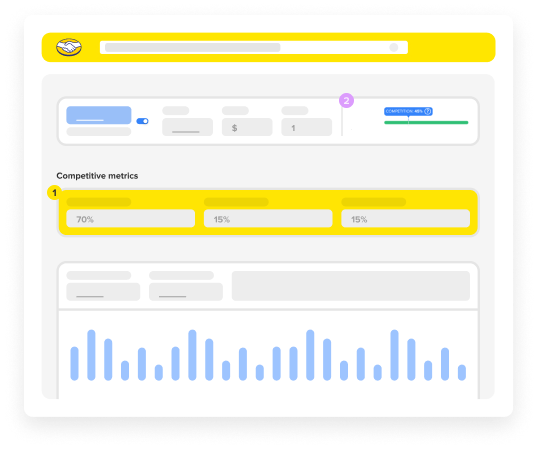
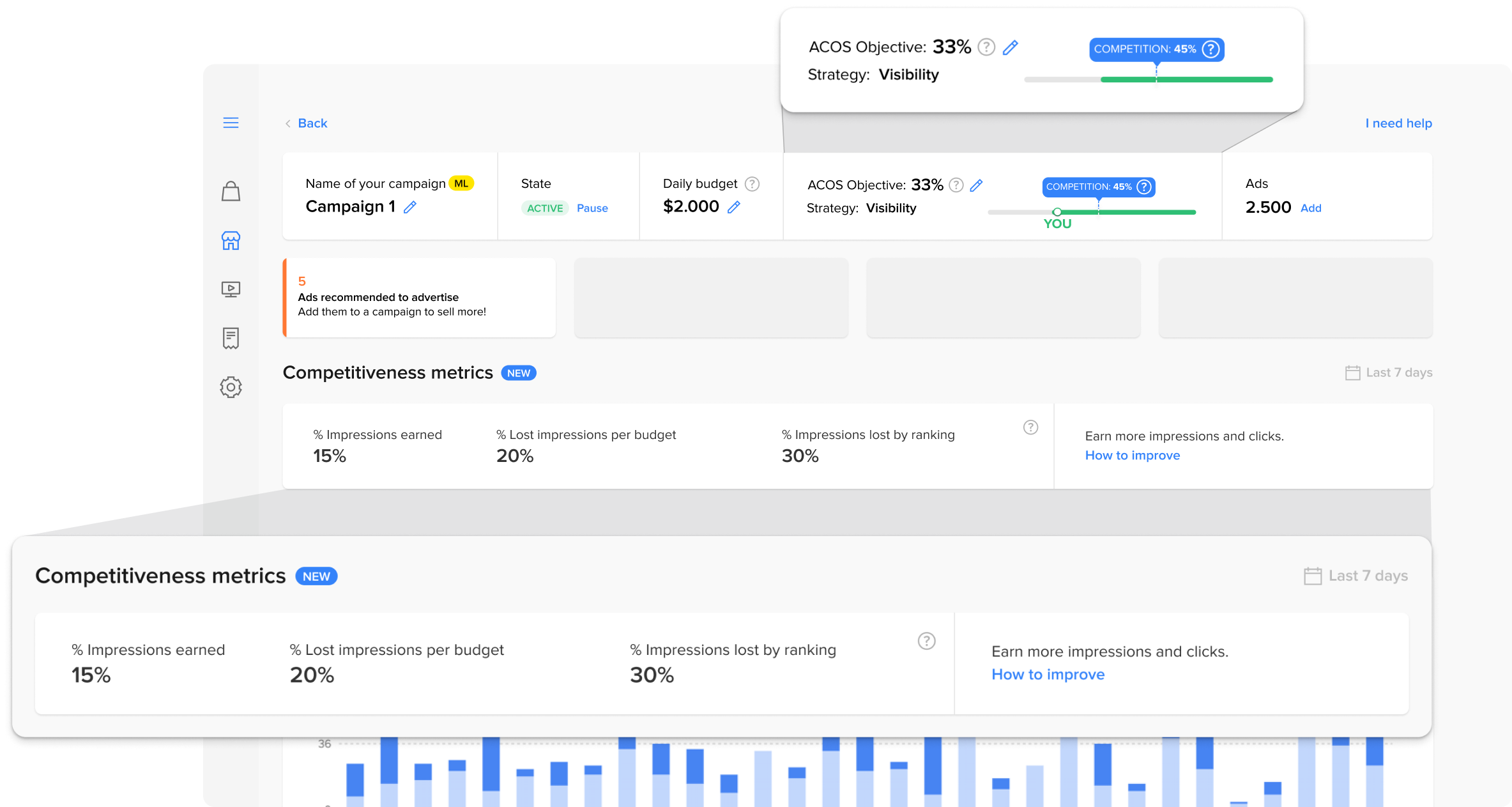
I designed two components: one to show competitive metrics, including the percentage of positions won and lost, and another to display competitor positions. The debate centered on their placement. I chose option B to link competition with quick actions and ACOS target adjustments.
COMPETITIVE METRICS
WHERE ARE YOU VS COMPETITORS
Stage 03 -Solution
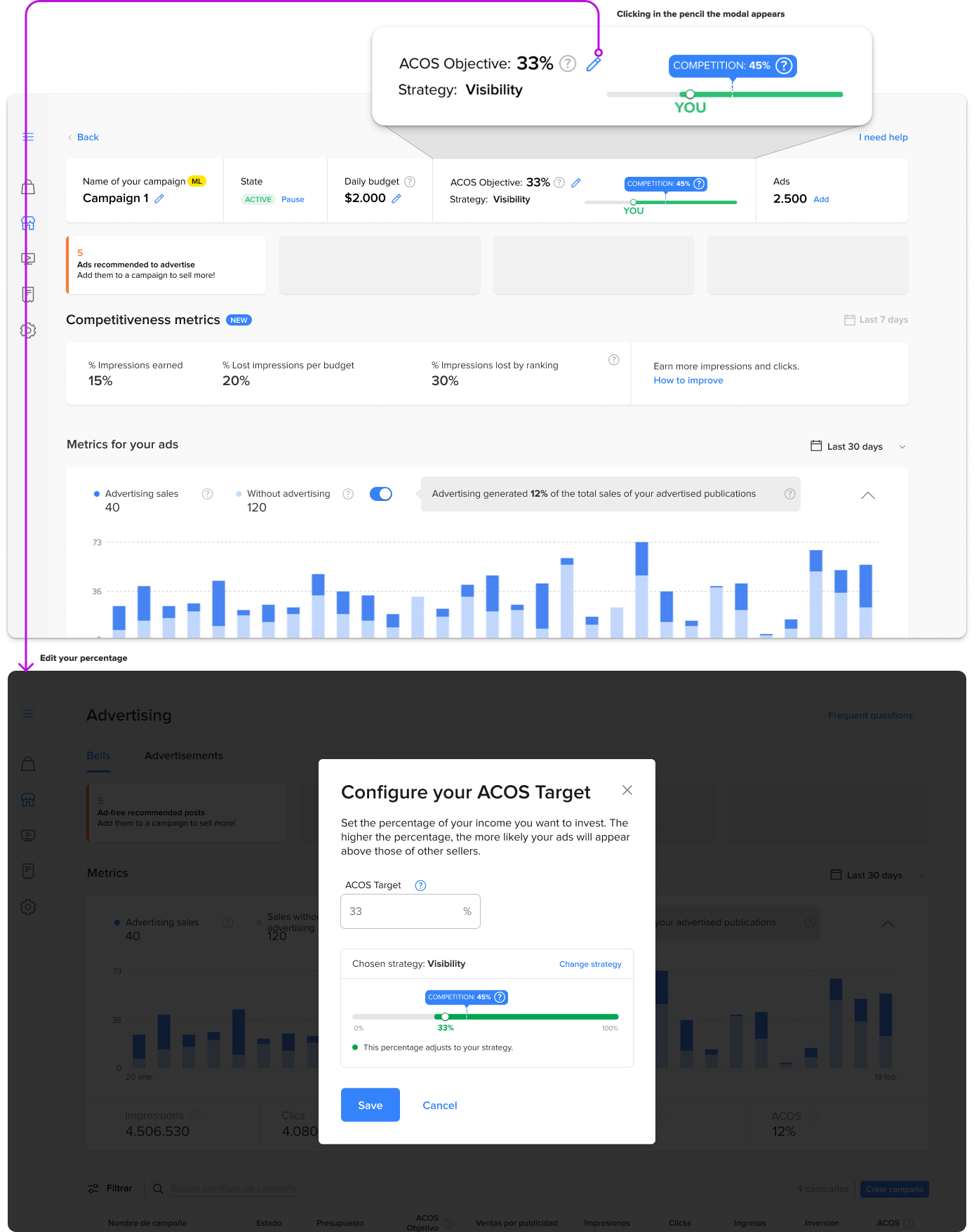
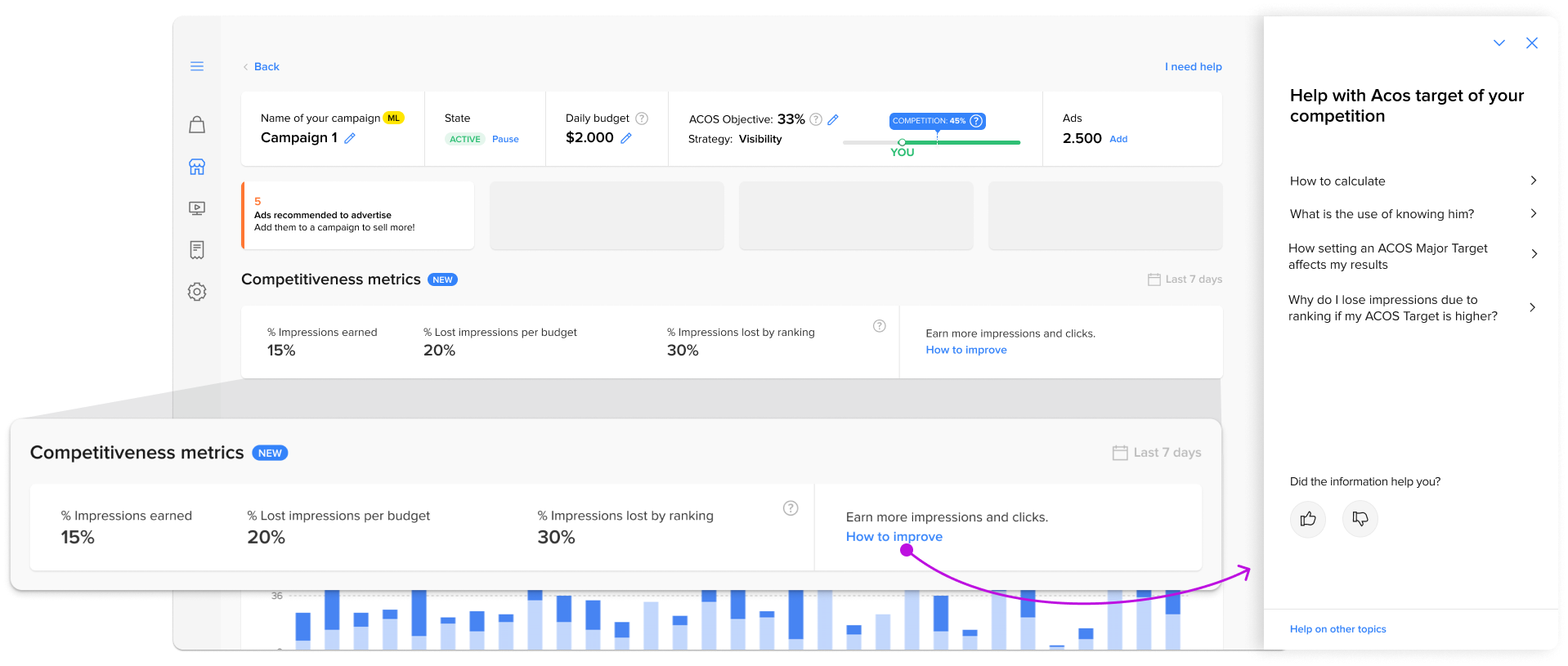
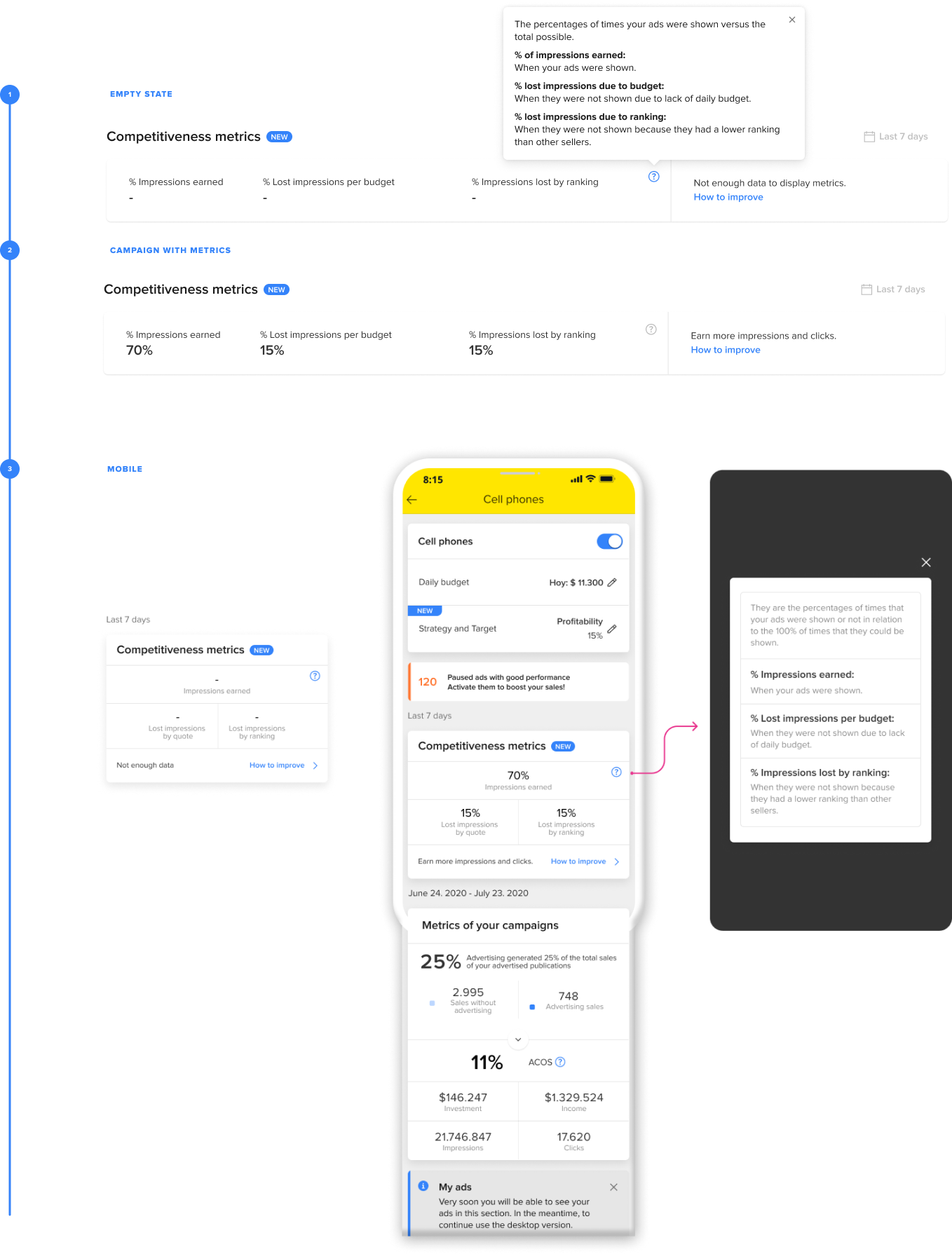
Create a component that informs sellers how often they win or lose positions and explains why.
Sellers who want to learn how to gain more clicks and impressions can use the “contextual help” feature.
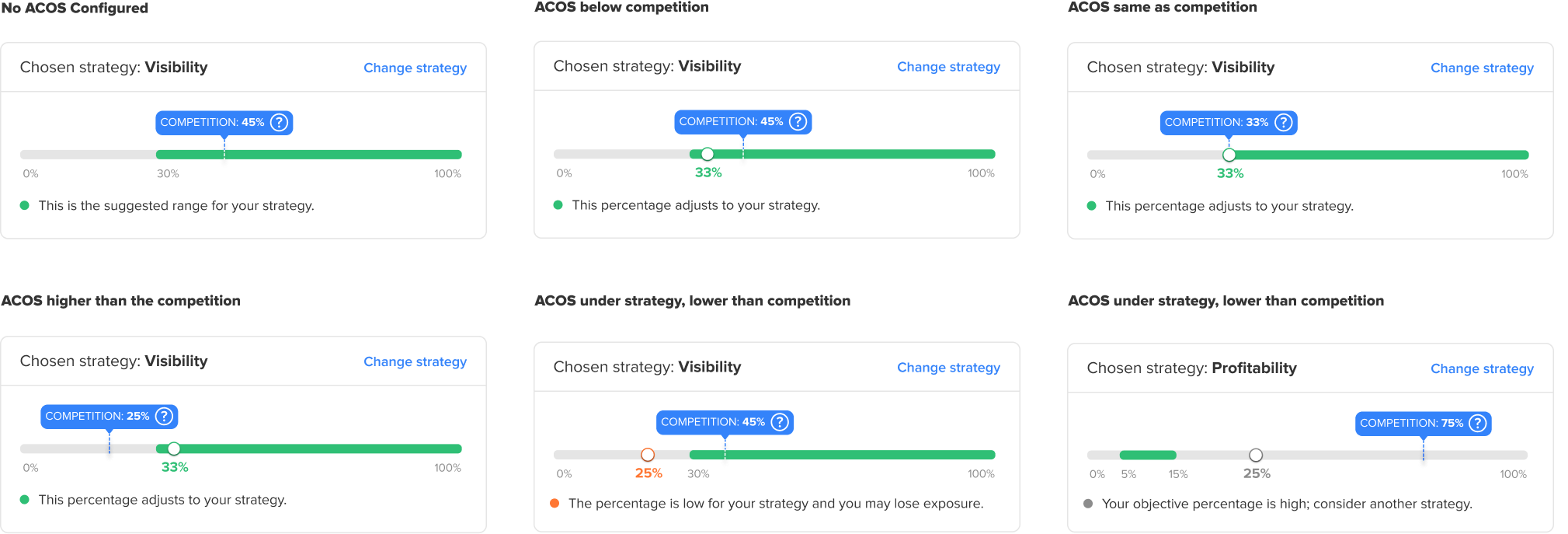
States
Include information on how your bid compares to your competitors’ bids.
Stage 04 - Usability tests
Key Takeaways: Main observations from the interviews.
I tested how easy it is to find the information, how well users understand it, how they connect it to their strategy, and how helpful the support is.

Results:
😊
• Understanding of Metrics:
Even those who did not consider the competition for decision-making understood that it influences the positions.
• Decision Help:
The metric is useful for setting Target ACOS in campaigns.
• Bidding System:
Users now understand the bidding system, thanks to the data and support provided.
• More Trust in recommendations:
Users trust recommendations more now that they understand why increasing Target ACOS is suggested.
😔
Graphic Colors:
Some users thought green should mean close to competition and yellow should mean far away.
Competition vs. Strategy:
Most users prioritized competition over strategy, with only a few linking recommendations to their strategy or considering changes.
Problem addressed in version 1
🔥 Showing the competitors would change the vision making people understand that it is a bidding system🔥
“It’s useful to know about competitors because you often get advice like ‘you should invest more,’ but there’s no explanation why. In Facebook groups, other sellers think it’s just a way for ML to make you pay more.”
— Seller in the interview—.