Mercado Libre
Revolutionizing Advertisting
Give sellers more control over ad visibility by letting them choose how much to pay for ads. This influences where their ads appear.
My Role
Product designer
User Research
UX
UI
context
What is Product Ads?
Product Ads on Mercado Libre enable sellers to boost visibility by promoting their listings in search results and increasing sales on their product pages.
How did "Product Ads" use to work?
Before this project, users had no say in which ads were shown or their positions. These decisions were made entirely by the algorithm.
Problem addressed in version 1
Users couldn’t match their commercial goals with campaign optimization because they didn’t have a lever to influence their positions.
The process
The Version 1 was divided in 4 stages
Stage 01 - What
Definition, what user needs. Research.
Stage 02 - How
Preparation to set a bid,
Features design.
Stage 03 - Measure
Understand how the feature is working.
Stage 04 - Next steps
What worked, what doesn't work. How to continue?
Stage 01 - What
Research findings
9/10
Finding 1:
Sellers were measuring the efficiency of their campaigns
6/10
Finding 2:
They were paying for Budget Control in other platforms
👀 Opportunity 👀
Sellers were setting estimated investments on other platforms, this is an opportunity for us to offer this configuration on our platform.
Finding 3:
Users' willingness to pay varies based on the product stage.
8/10
Maintain profitability:
"I am confident knowing that the percentage won’t be exceeded"
8/10
Position new items:
“If it’s a product I need to rotate, I would set a higher percentage. But if it’s selling well, I wouldn’t.”
3/10
Compete for position
“’d start with a low percentage and increase it to outbid competitors on specific products.”
👀 Opportunity 👀
They have different budgets for each product stage: new products, established products, and specific ones for competition.
Stage 01 - What
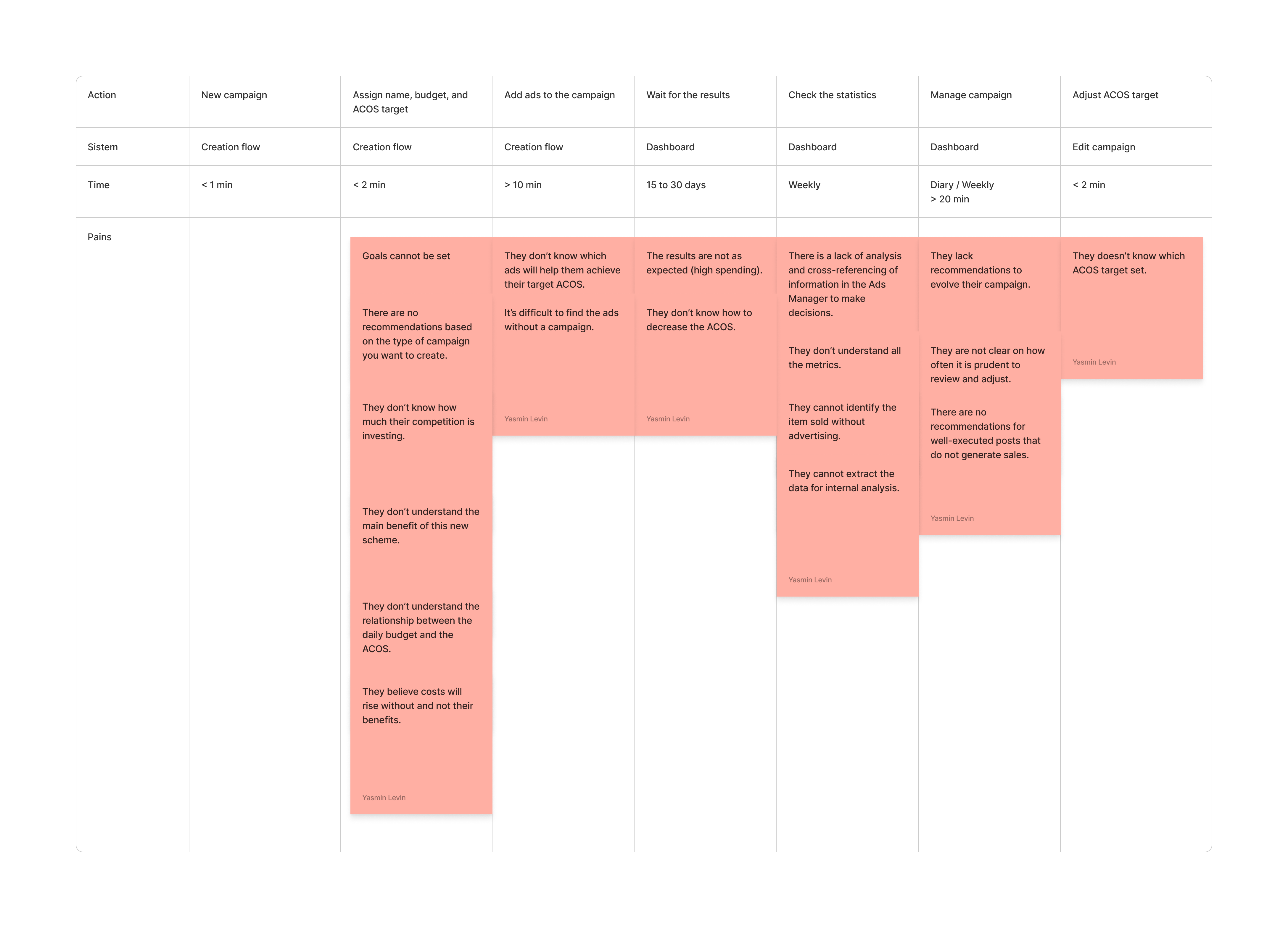
Seller Journey
In base to the interviews, I understood the user journey and, which pains they have in the process.
Stage 01 - What
Seller paterns
Based on the interviews, I created three Archetypes. The goal is to address bidding by considering the preconceptions, pains, and frustrations of the three patterns.
Pattern 1: “Moderate”
• Ideal Target: 5% to 15%
• Willing to increase spending for new/slow-selling products, but maintain profitability.
Pains 😫 Can’t set a target, distrusts the platform’s numbers, struggles against large sellers’ budgets.
Pattern 2: “Competitor”
• Ideal Target: 5% to 8%
• Willing to increase spending for new/slow-selling products, sacrifice profitability if aware of bids.
Pains 😫 Uncertain spending amount, misunderstands the spending-auction link, thinks high spending is a mistake.
Pattern 3: “The Implementer”
• Focus: Maximizing sales for a given budget, using CPA and smart bidding.
Pains 😫 Can’t use the entire budget, can’t bid by keywords.
Stage 02 - How
Creating strategies which were aligned to the different stages of their products
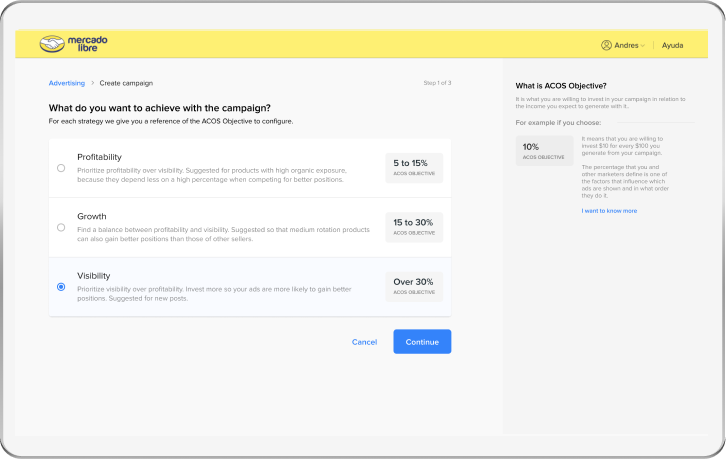
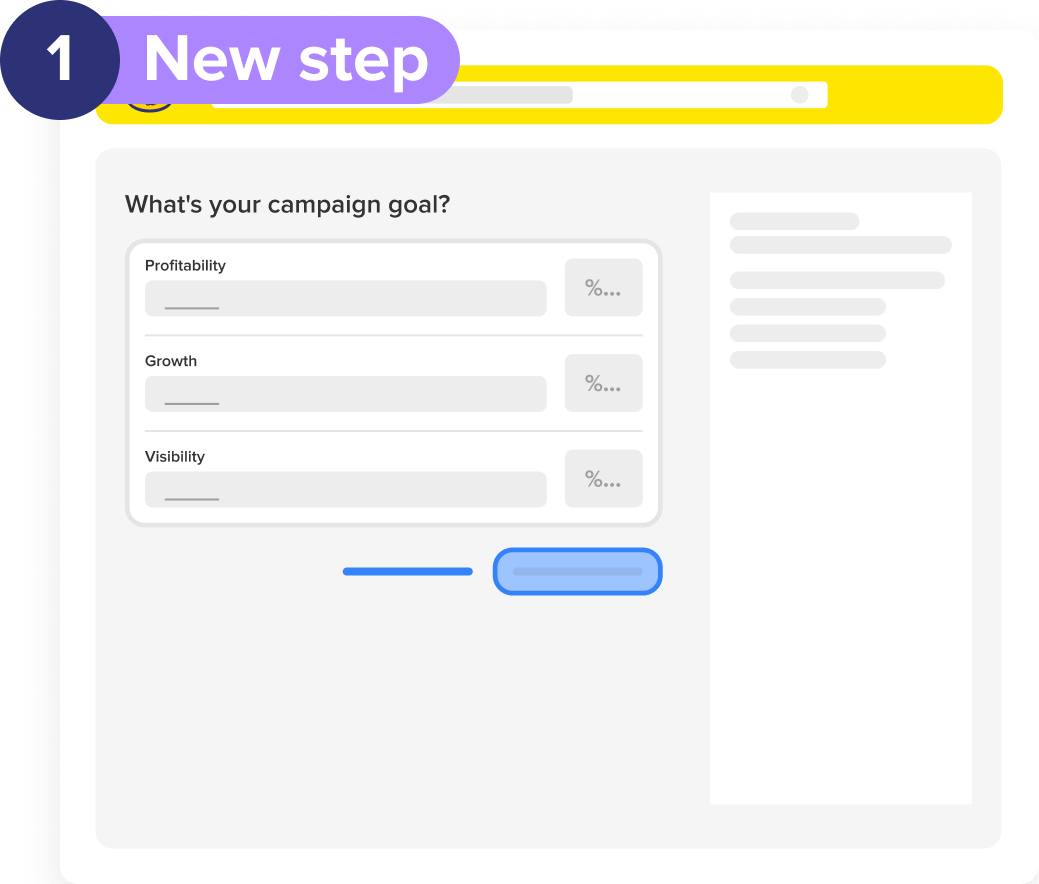
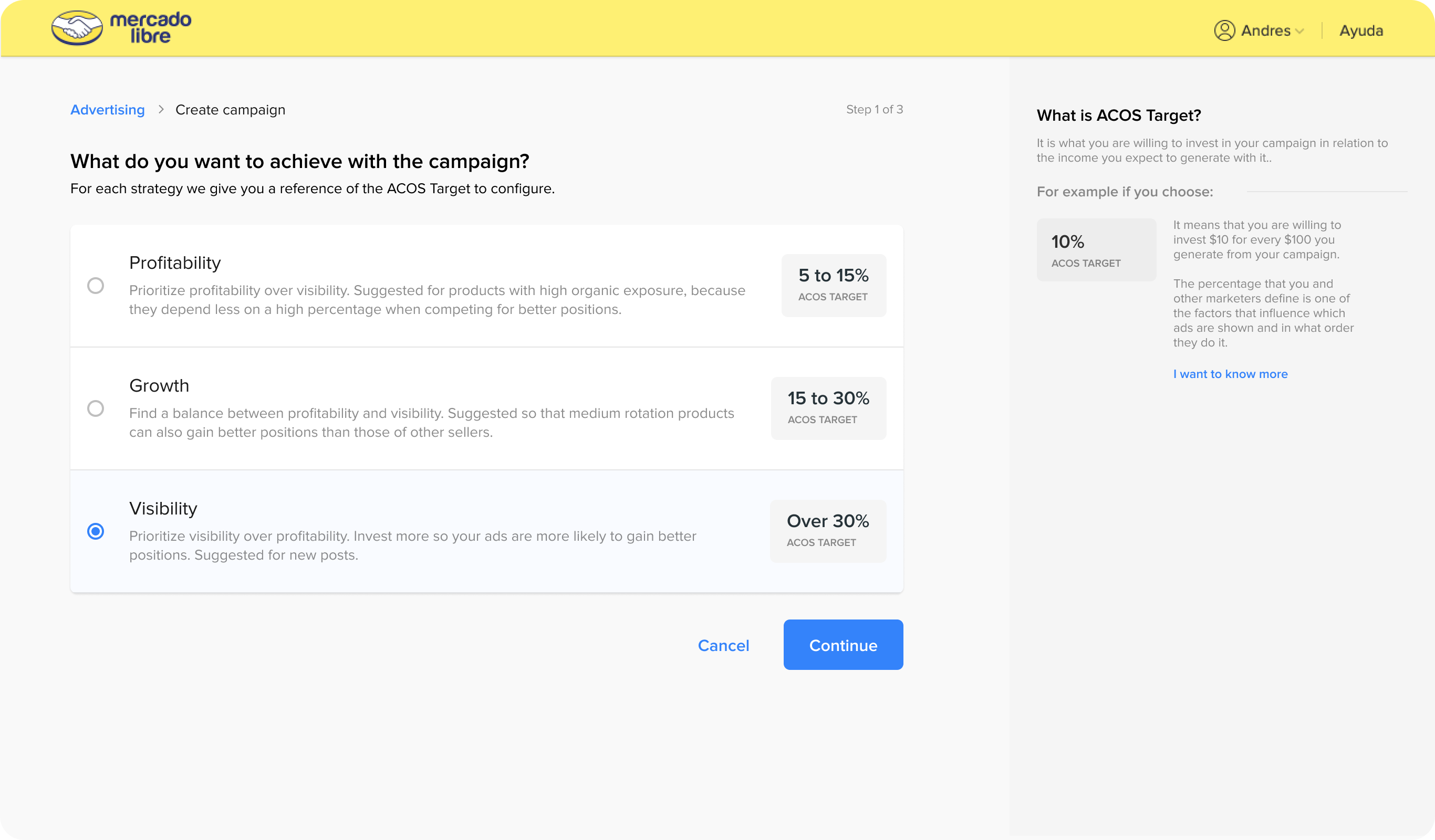
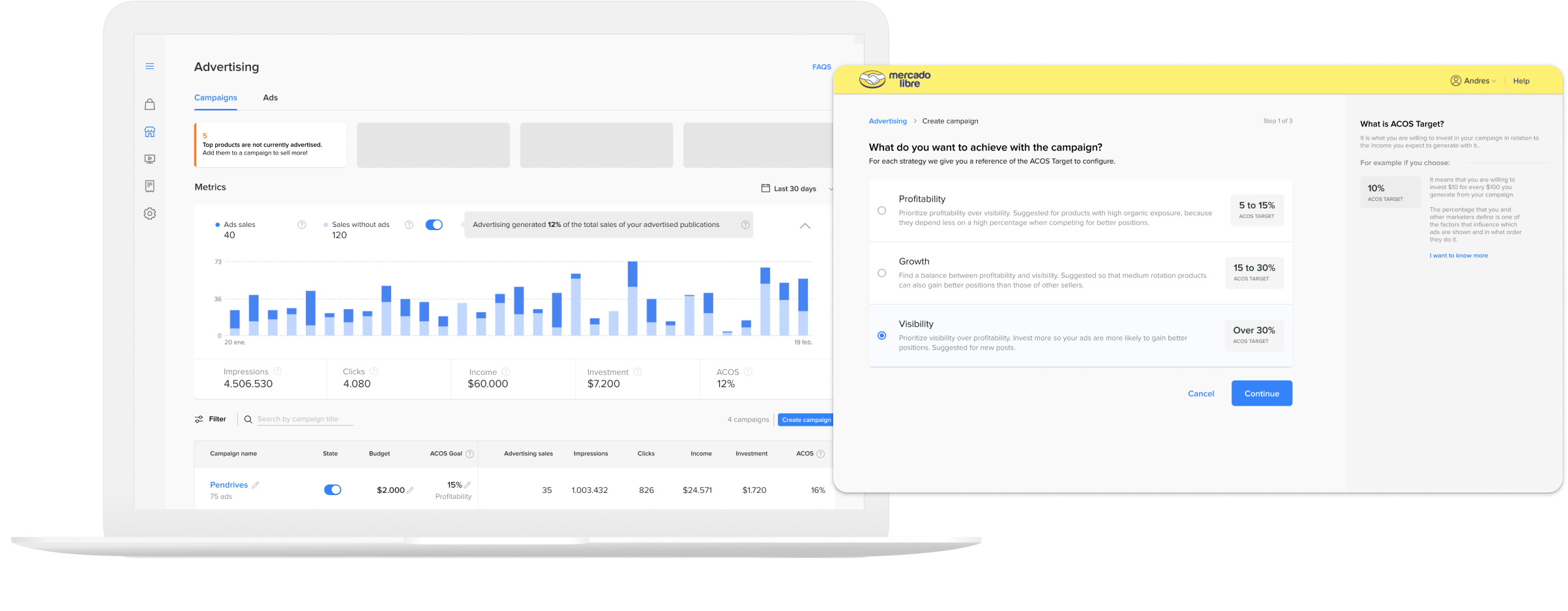
To assist sellers in understanding their products' stage and investing the appropriate percentage aligned with their business objectives. I created a step with three different strategies.
- Profitability
- Growth
- Visibility
Structure: Step 1 / Campaign Creation
Campaign Assistance
To help users better understand bidding and determine the right percentage for their campaigns, I've added a dedicated section on the screen to provide helpful information.
Helper Bar:
For inexperienced users who find metrics and bidding complex, the right sidebar offers continuous explanations about each step and what's happening.
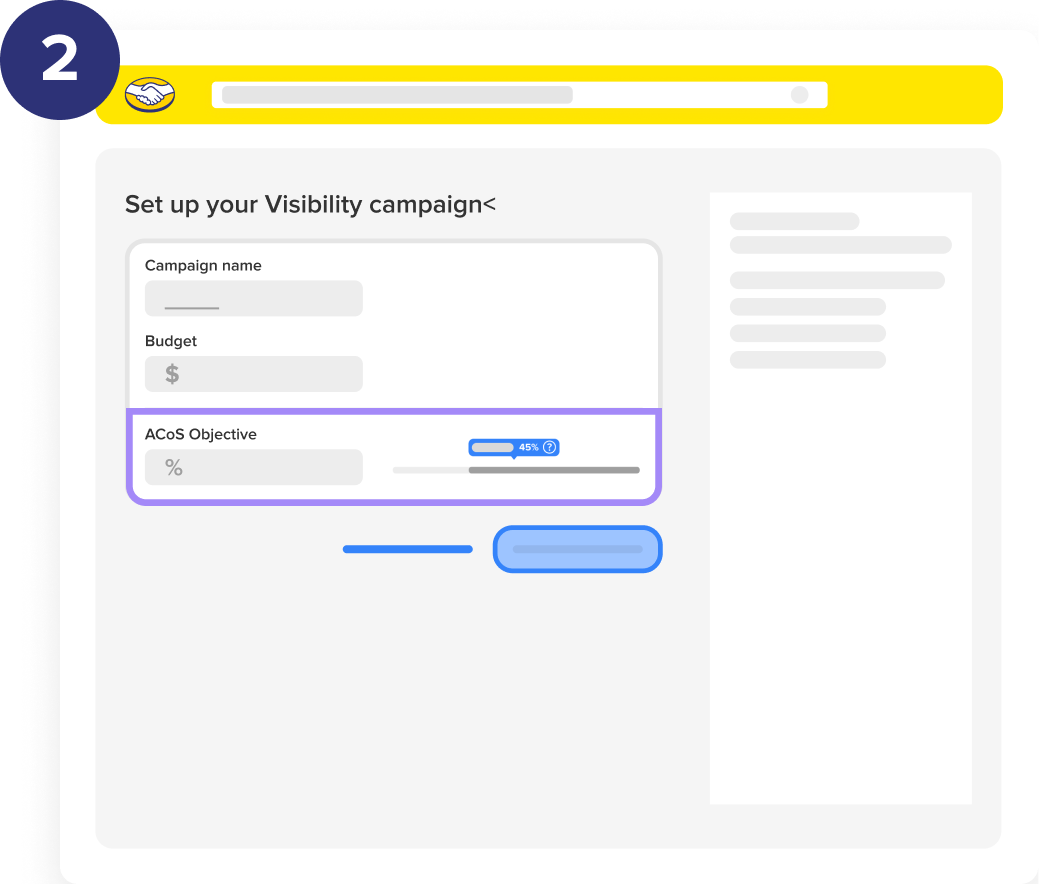
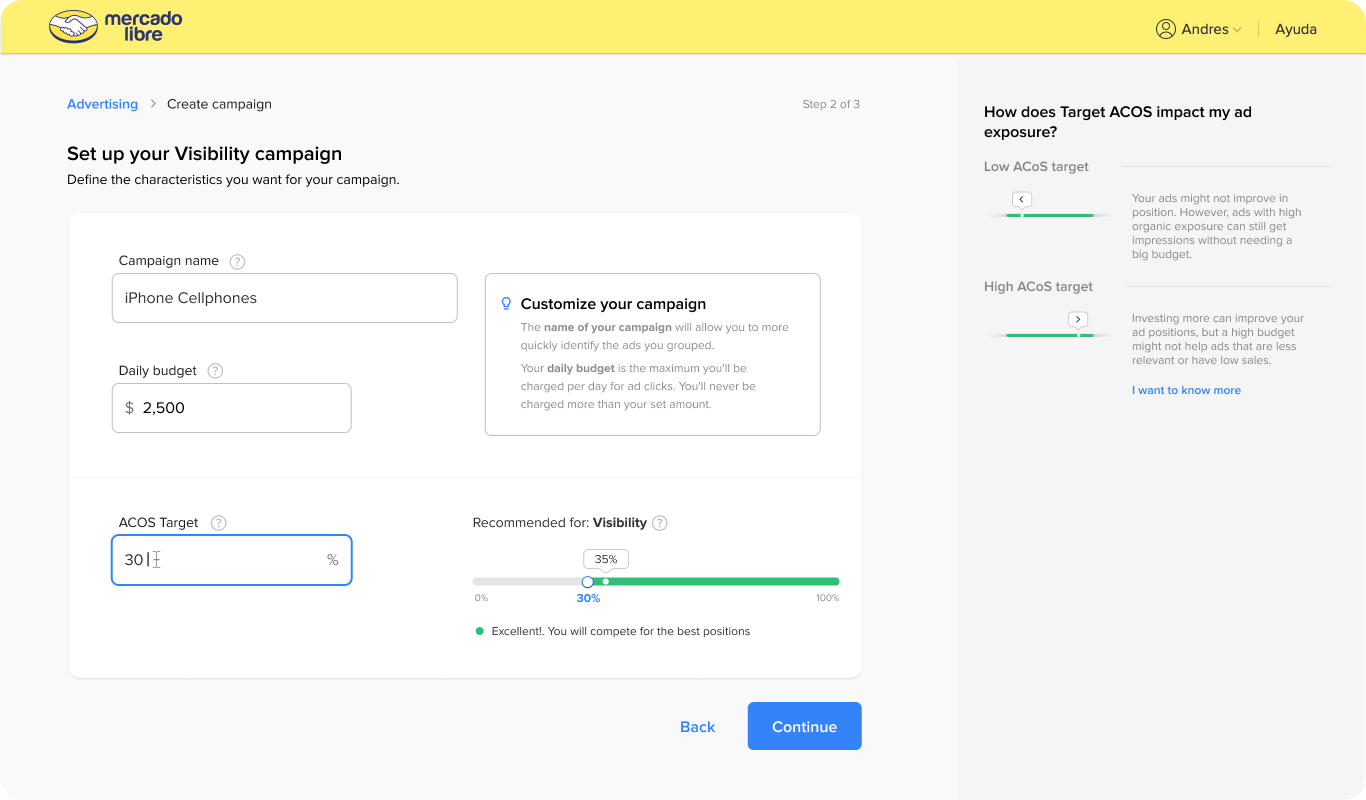
Structure: step 2 / Campaign Creation
Recommendations
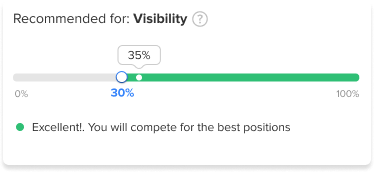
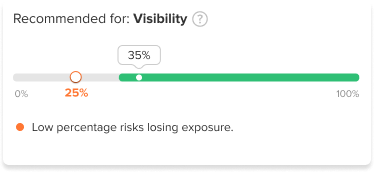
Users can easily verify if they are aligned with the strategy they selected.

← When sellers select a percentage that aligns with their strategy, they receive a success message.
→ If the percentage does not fit the campaign, a warning message is shown.
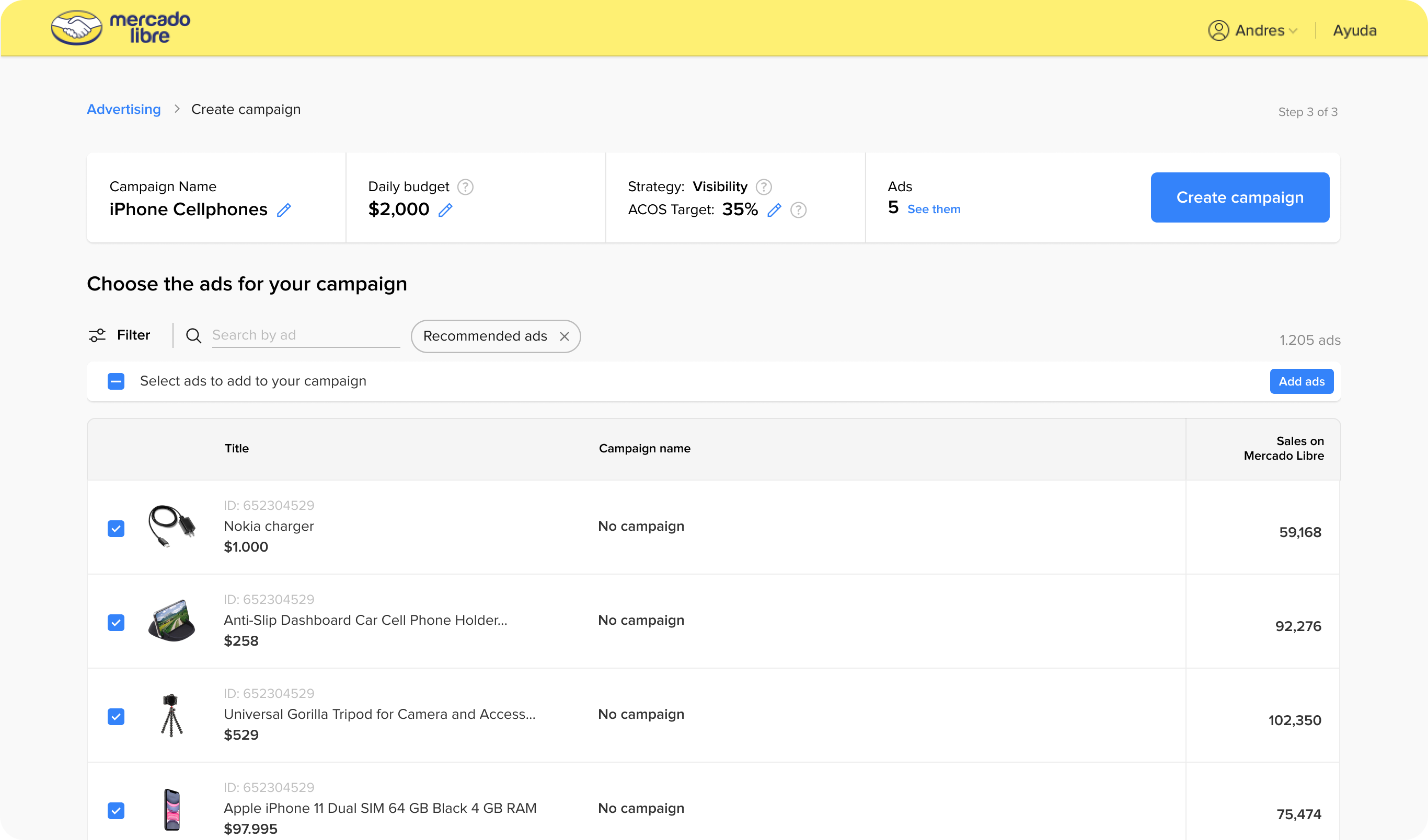
Structure: step 3 / Campaign Creation
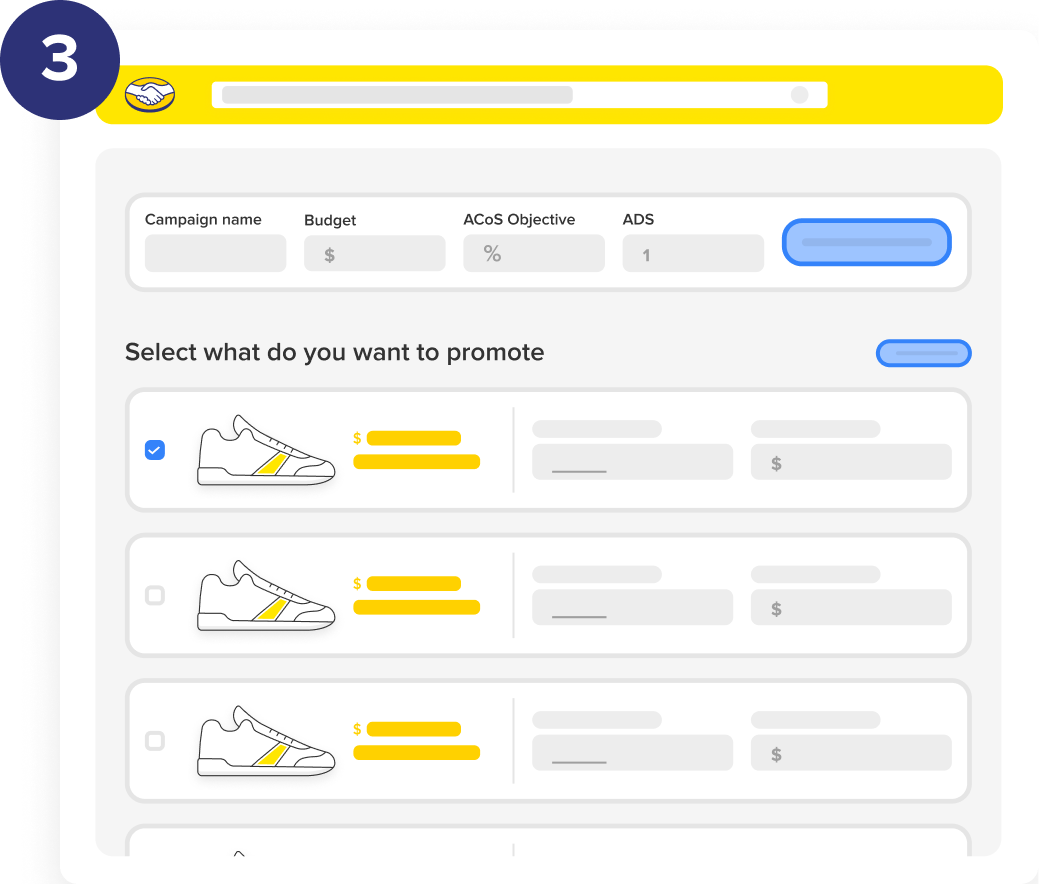
Product selection
The header component continuously displays the selected strategy, providing users with constant guidance and a reminder of their choice.
Structure
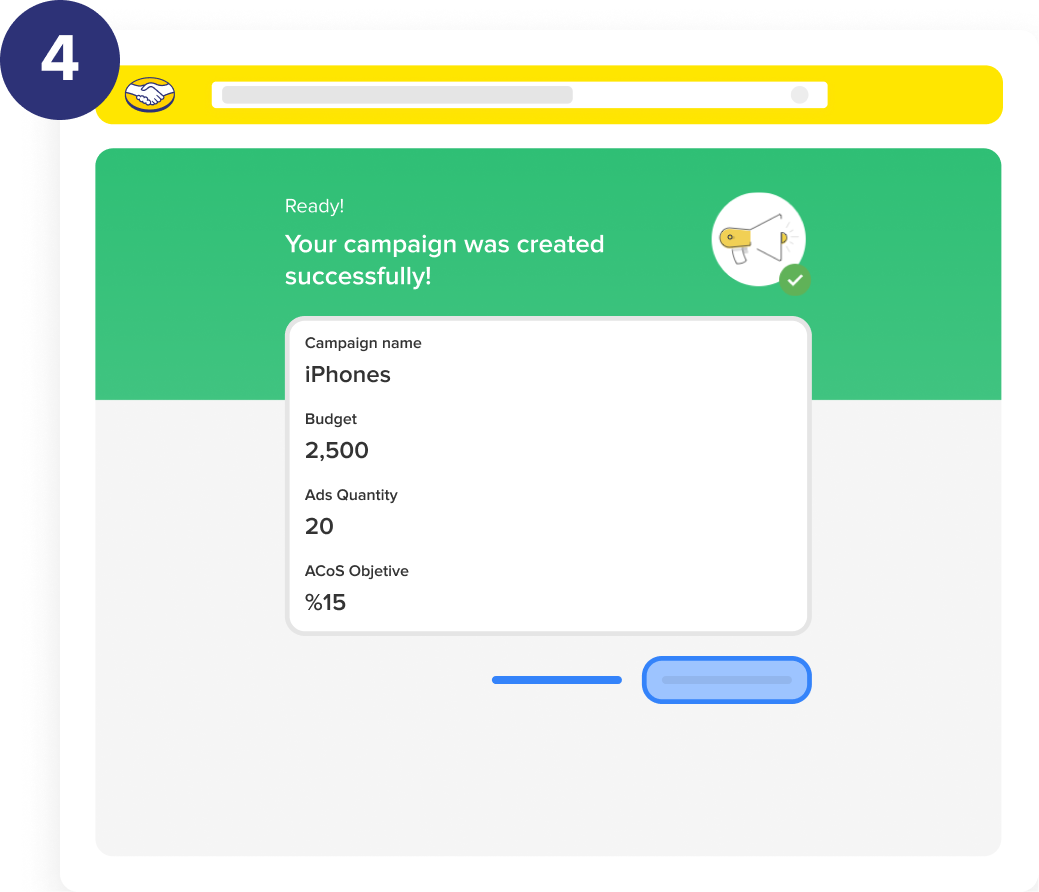
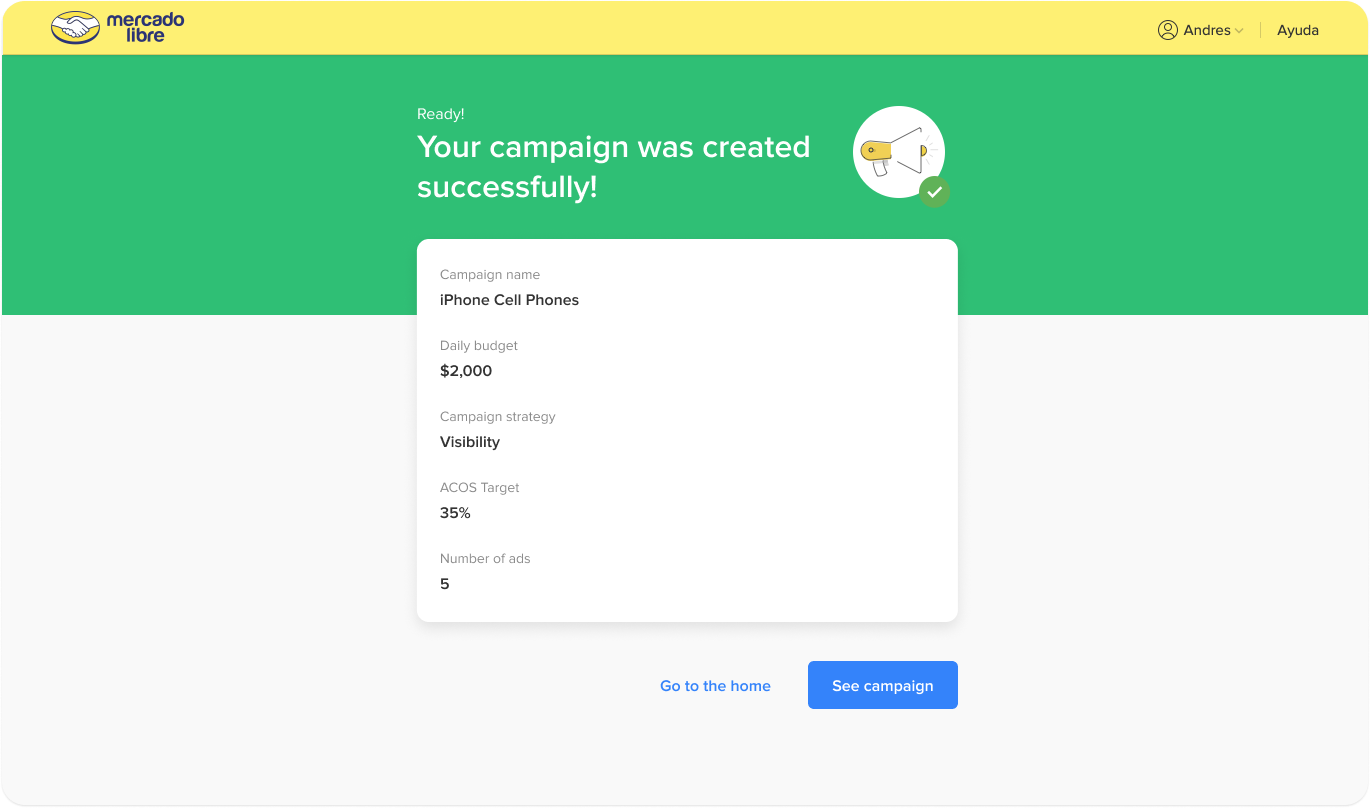
Congrats
Provides positive reinforcement,
Clear confirmation,
And guidance for next steps.
This keeps users engaged, motivated, and prevent errors.
Campaign Creation
New campaign
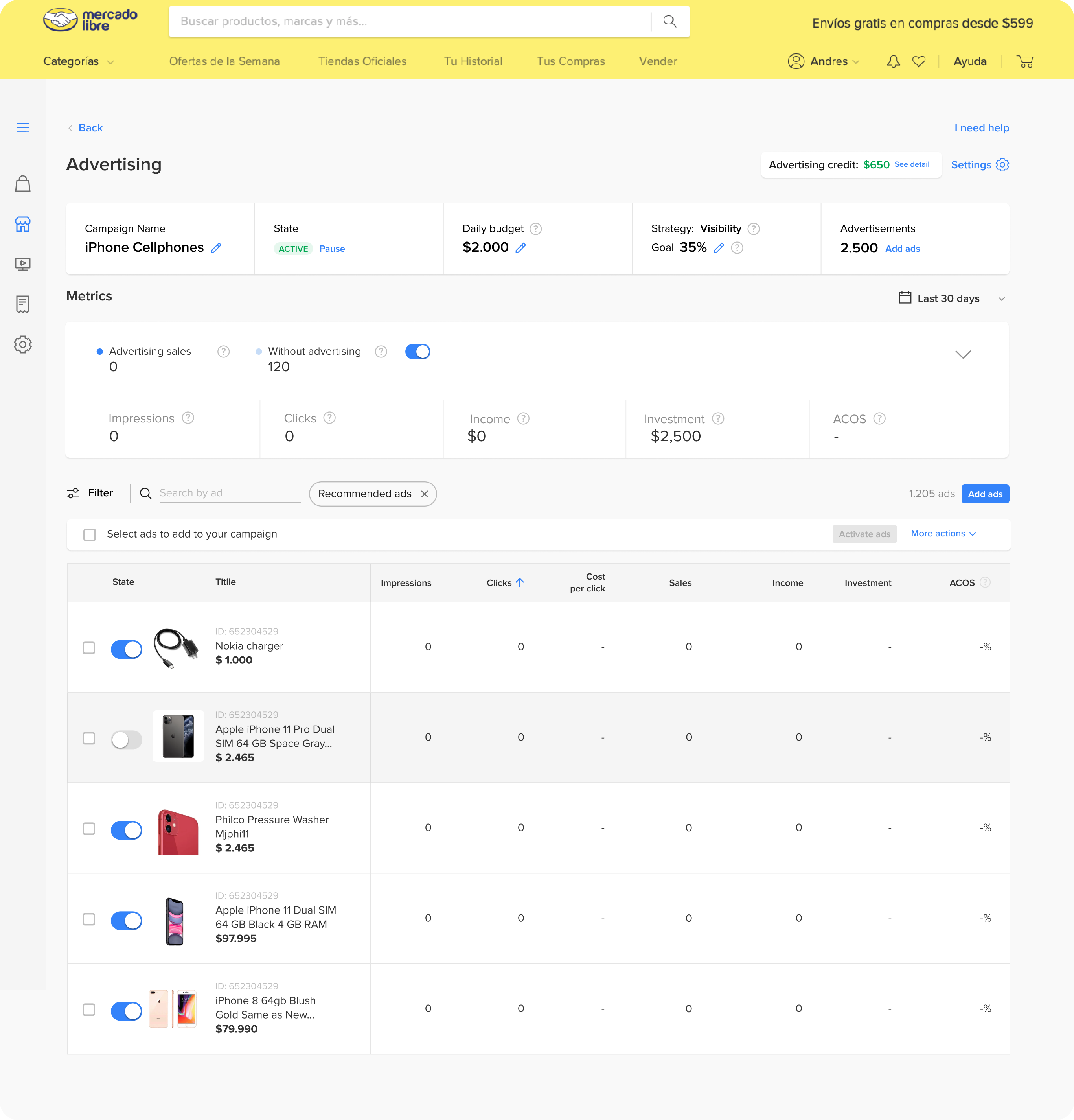
The new campaign launches without any defined metrics for tracking its performance.
Stage 03 - measure
After launching
70%
Were using our feature → Feature awareness 😊
40%
Were bidding too low % → Low revenues
🕵🏻 Hypothesis🕵🏻: We assume they didn’t realize they were competing with others simultaneously.